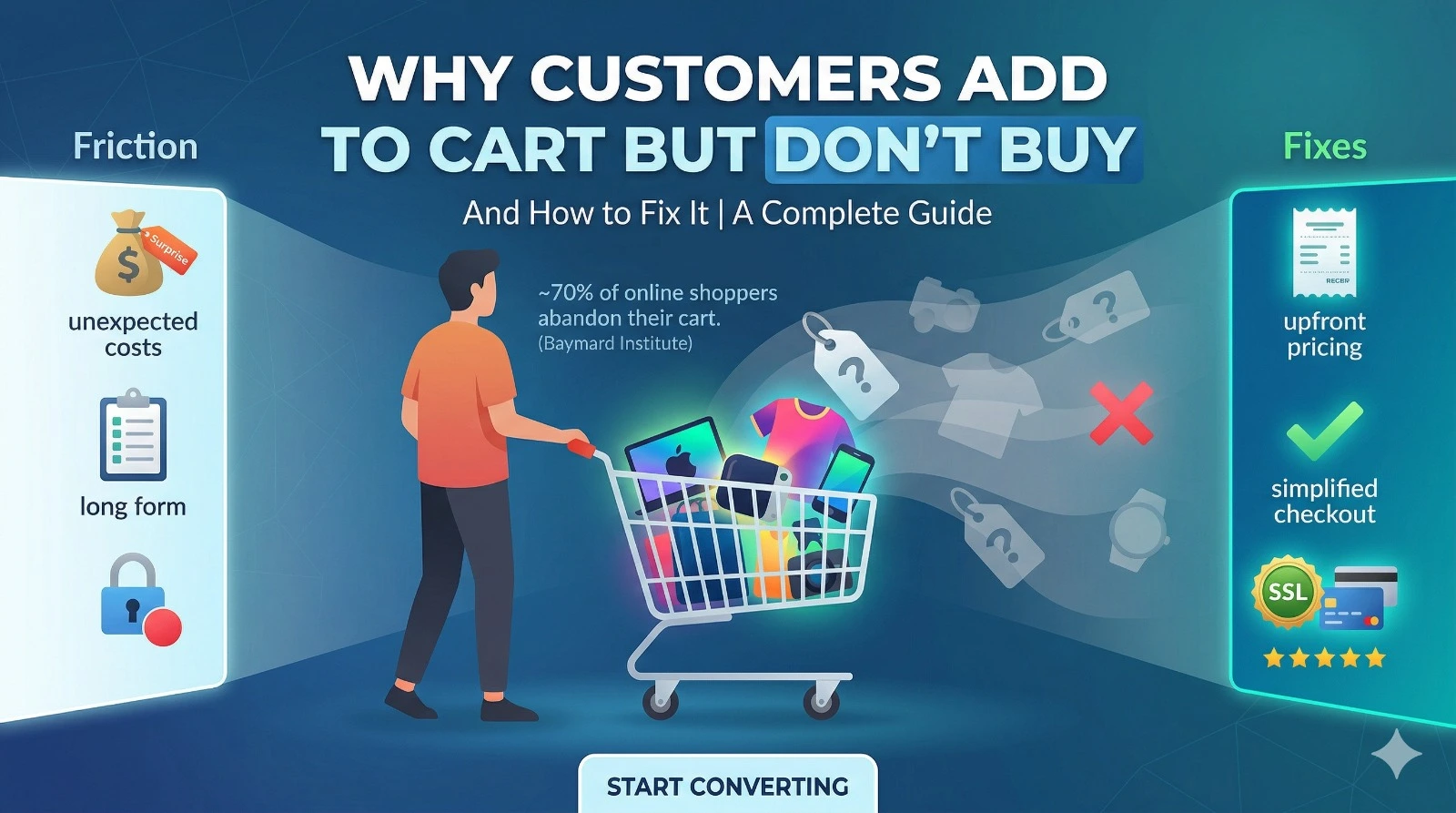
~70% of online shoppers abandon their cart before completing a purchase. (Baymard Institute)
That means for every 10 customers who show clear buying intent – picking a product, adding it to their cart, 7 walk away without spending a single rupee. If you’re running an e-commerce store, this number represents thousands of rupees in lost revenue every single month.
The good news? Cart abandonment is not a dead end. These users are interested. They’ve already done the hard part. Your job is simply to remove the friction that’s stopping them from clicking “Place Order.”
What Is Cart Abandonment?
Cart abandonment happens when a shopper adds items to their cart but exits the website before completing the purchase. It’s one of the most common and costly problems in e-commerce.
It’s not always a bad sign. Many users are genuinely interested. The real issue is conversion friction: something gets in the way between interest and action.
Top Reasons Customers Don’t Complete Their Purchase
1. Unexpected Extra Costs
This is the #1 reason for cart abandonment worldwide. Customers see a product at ₹499, but at checkout, the total jumps to ₹699 after shipping, taxes, and handling fees. That surprise kills trust instantly.
How to Fix It:
- Show the total cost upfront on the product page itself
- Offer a free shipping threshold (e.g., “Free shipping above ₹999”)
- Be fully transparent about taxes and additional charges before checkout
2. Complicated Checkout Process
A long, confusing checkout process is a conversion killer. If a customer has to fill out 5 screens of forms just to buy a ₹300 item, they’ll leave.
How to Fix It:
- Enable guest checkout, don’t force account creation
- Reduce form fields to only what’s absolutely necessary
- Use a one-page or two-step checkout flow
3. Lack of Trust Signals
If your website looks untrustworthy or unprofessional, customers won’t enter their payment details. This is especially important for first-time buyers.
How to Fix It:
- Display SSL security badges and secure payment icons
- Add genuine customer reviews and star ratings
- Make your return and refund policy clearly visible
- Show a real contact number or live chat support
4. Limited Payment Options
India has a diverse payments ecosystem. If you only offer one or two options, you’re guaranteed to lose customers whose preferred method isn’t available.
How to Fix It:
- Accept UPI, credit/debit cards, net banking, wallets, and Cash on Delivery (COD)
- Integrate popular payment gateways like Razorpay, Paytm, or PhonePe
5. Slow Website Speed
A page that takes more than 3 seconds to load loses a significant portion of its visitors. At checkout, even a 1-second delay can cost conversions.
How to Fix It:
- Compress and optimize all product images
- Minimize heavy JavaScript and third-party scripts
- Use fast, reliable hosting optimized for e-commerce
6. ‘Just Browsing’ Behavior
Many users add products to their cart as a way to save items for later comparison, similar to a wishlist. They’re not ready to buy right now.
How to Fix It:
- Use retargeting ads on Facebook and Google to re-engage these users
- Send automated cart reminder emails within 1 hour of abandonment
- Offer a limited-time discount to create urgency
7. No Urgency or Incentive
If there’s no urgency, customers feel no pressure to complete the purchase. “I’ll come back later” is the enemy of conversions.
How to Fix It:
- Show real-time low stock alerts (“Only 3 left!”)
- Add countdown timers for limited-period deals
- Offer flash discounts for customers who complete checkout within a time window
8. Poor Mobile Experience
In India, a large majority of e-commerce traffic comes from mobile devices. A clunky mobile interface directly translates to lost sales.
How to Fix It:
- Use a fully responsive design that works on all screen sizes
- Simplify mobile navigation and reduce tap targets
- Optimize the mobile checkout flow, minimize typing, and use autofill
Proven Strategies to Reduce Cart Abandonment
1. Use Exit-Intent Popups
When a user moves their cursor toward the browser’s close button, trigger a pop-up with a compelling offer.
💡 Example: “Wait! Here’s 10% off your order, valid for the next 15 minutes only.”
- Offer a discount code or free shipping coupon
- Show a reminder of items left in their cart
- Keep it simple — one clear call to action
2. Send Abandoned Cart Emails
Automated email sequences are one of the highest ROI recovery tools in e-commerce. Even a single well-timed email can recover a significant percentage of lost sales.
Best Practices:
- Send the first email within 1 hour of abandonment
- Include product images and the exact items left in the cart
- Add urgency: “Your cart is about to expire,” or “Only 2 left in stock.”
- Follow up with a second email after 24 hours with a small discount offer
3. Optimize Checkout UX
Your checkout page should be fast, simple, and trustworthy. Every extra step or form field is a potential drop-off point.
- Use progress indicators so users know how many steps are left
- Auto-fill address fields using PIN code lookup
- Display trust badges and accepted payment icons prominently
4. Offer Free Shipping or Easy Returns
Free shipping is one of the most powerful conversion triggers in e-commerce. It removes a key objection at the moment of decision.
💡 “Free shipping above ₹999.” This single change can significantly boost both conversions and average order value.
- Offer easy, no-questions-asked returns to reduce purchase hesitation
- Clearly communicate your return policy on the product and cart pages
5. Add Social Proof
People trust what other people have bought. Social proof reassures hesitant buyers that they’re making the right choice.
- Display verified customer reviews and ratings on product pages
- Show “X people bought this today” or “Recently purchased” notifications
- Feature user-generated photos in reviews for authenticity
6. Run Retargeting Ads
Not all abandoned carts can be recovered by email. Retargeting ads on Facebook, Instagram, and Google allow you to reach customers wherever they go next.
- Show dynamic ads featuring the exact products they left in their cart
- Offer a limited-time discount to incentivize return
- Set frequency caps to avoid over-showing ads
Quick Reference: Problems and Fixes
| Problem | Quick Fix |
| Hidden extra costs | Show full price upfront; offer free shipping threshold |
| Complicated checkout | Enable guest checkout; reduce form fields |
| No trust signals | Add an SSL badge, reviews, and a clear return policy |
| Limited payment options | Accept UPI, cards, wallets, and COD |
| Slow website | Optimize images; use fast hosting |
| Just browsing | Retargeting ads + cart reminder emails |
| No urgency | Low stock alerts + countdown timers |
| Poor mobile UX | Responsive design + simplified mobile checkout |
Conclusion
Cart abandonment is not a failure; it’s an opportunity. Every abandoned cart represents a customer who was interested enough to engage with your product. Your job is to remove the friction, rebuild the trust, and create the urgency that converts that interest into a sale.
Start with transparent pricing, fast checkout, and a well-timed cart recovery email. Then layer in social proof, retargeting, and mobile optimization to build a complete recovery system.
If you’re looking for a platform that makes all of this easier, Siyahfy, an advanced e-commerce website builder, comes with fast-loading pages, mobile-optimized design, and built-in marketing tools, so you can focus on growing sales instead of managing tech.
💡 Ready to reduce cart abandonment? Build your store on Siyahfy today.